Microsoft-Certified Copilot & AI Solutions Experts
Helping organizations adopt, implement, and maximize Microsoft AI & Copilot solutions for smarter, faster, and more efficient business outcomes.
Find Scenarios For Your Function
Customer Service Representative
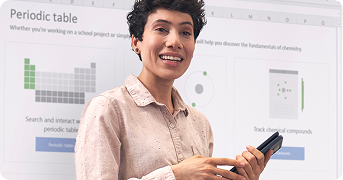
A Customer Service Representative uses Copilot in Outlook to…
Find Scenarios For Your Function
Customer Service Representative
A Customer Service Representative uses Copilot in Outlook to…
Guiding Your AI & Copilot Journey
Adopting AI for real business impact can feel complex. That’s why we created our Scenario Hub to help you explore practical use cases tailored to your industry and business functions. Discover ideas, learn best practices, and start your AI journey with confidence.
Learn more about industry-specific AI scenarios
Education
Energy and Resources
Financial Services
Government
Healthcare
Manufacturing
Media and Entertainment
Nonprofit
Retail
Hear From Our Clients


Client Review
Copilot has made routine tasks so much simpler. Thanks to Garry, we no longer spend hours on manual data entry and status updates. The AI tools feel like having an extra smart teammate.”
James O’Connor
Chief Technology Officer
Garry guided us through implementing Microsoft Copilot in our operations. Their expertise helped our team automate meeting summaries and reports, which has saved us hours every week.

Sara Li
Operations Manager
Working with Garry to deploy Copilot was one of our best moves. The AI-generated insights are now part of our daily decision-making. They listened to our needs, customized solutions, and rolled everything out smoothly


Ananya Singh
Lead Data Analyst
What stood out was Garry’ focus on our actual problems—not flashy features. The Copilot integrations are solving real pain points: meeting notes, report generation, email summaries. Productivity, clarity, confidence—all improved.”
Michael Turner
Product Owner
Frequently Asked Questions
How does Microsoft Copilot boost productivity?
Microsoft Copilot acts as a true productivity partner. It automates routine tasks, summarizes meetings, and drafts content, allowing teams to focus on strategic work. This shift drives efficiency, fuels creativity, and helps businesses achieve faster, smarter outcomes.
How does Microsoft Copilot improve cybersecurity?
Microsoft Copilot strengthens organizational security by identifying risks, safeguarding sensitive data, and guiding safe collaboration. Combined with Microsoft 365’s security features, it ensures businesses remain protected, compliant, and resilient while employees stay productive and confident in their digital environment.
Which task's can Copilot automates?
Copilot can automate emails, meeting summaries, reports, and data analysis. These automations reduce manual effort, minimize errors, and save valuable time, empowering employees to focus on innovation, collaboration, and impactful tasks that drive long-term business success.
How does Copilot help in decision-making?
Copilot uses AI-driven insights to support smarter decision-making. By analyzing data, trends, and patterns, it empowers leaders with real-time knowledge. This enables informed strategies, faster responses, and better outcomes, ensuring businesses remain agile and competitive in dynamic markets.
Can Copilot be customized for my business?
Yes. Copilot can be tailored to fit unique workflows and industry requirements. From compliance-driven processes to sector-specific needs, it can be customized so businesses maximize adoption, productivity, and long-term value aligned with their goals and transformation journey.
How does Copilot improve collaboration?
Collaboration thrives when complexity is reduced, and Copilot supports this by drafting meeting notes, summarizing chats, and suggesting action points. Integrated into Teams, Outlook, and SharePoint, it enables seamless teamwork, stronger alignment, and improved knowledge-sharing across organizations.